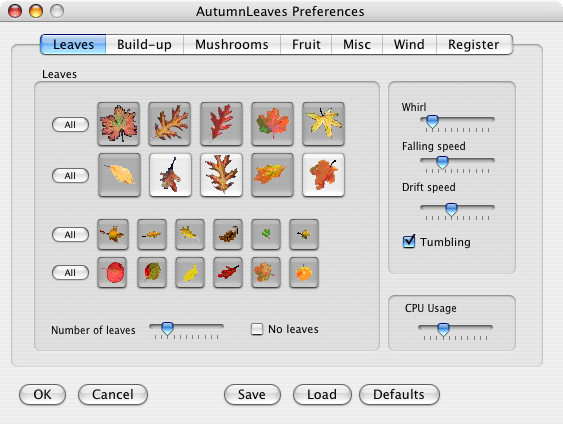
 To set the preferences choose "Preferences" from the File menu.
The window as shown here appears. By setting the sliders you control how the leaves
fall.
To set the preferences choose "Preferences" from the File menu.
The window as shown here appears. By setting the sliders you control how the leaves
fall.
Leaves: click the picture of the autumn leaves you want.
If the button is dark it is selected, if it is light that leaf will not show on screen.
All: click the button to select or deselect the row of leaves.
Number of leaves: Set the slider to select the number of leaves.
The more to the right the more leaves. Note that more leaves costs CPU-time, and may slow down your
computer!
No leaves: check the box to make no leaves fall.
Whirl: how much the flakes move to and fro
Falling speed: how fast they fall
Drift speed: how much they move horizontally. If you set this to 0 the snow drops right down.
Tumbling: check the box to make the leaves tumble.
CPU usage: the more to the right the more CPU you allow for snowing, and the smoother the leaves
will fall. This may slow down your computer if you set it too far to the right!