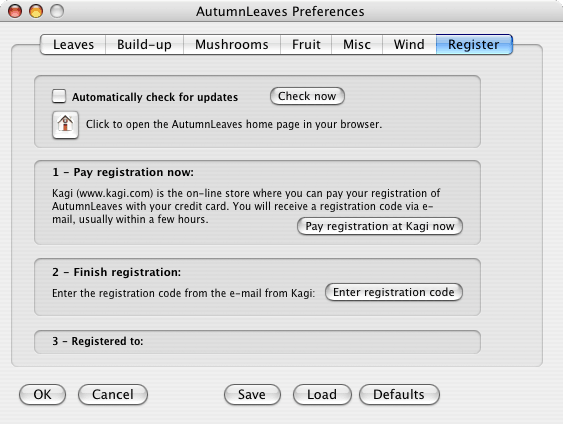
Automatically check for updates: if checked you will be notified if there is an update for AutumnLeaves: the program will check now and then via the internet if there is a newer version.
Check now: checks immediately whether there is a newer version available.
Home page: click to open the AutumnLeaves home page in your browser.
Pay registration: you can buy AutumnLeaves online at Kagi:
Kagi is an online store where you can purchase the registration for AutumnLeaves. Clicking the button "Pay registration at Kagi now" will take you to the order page:
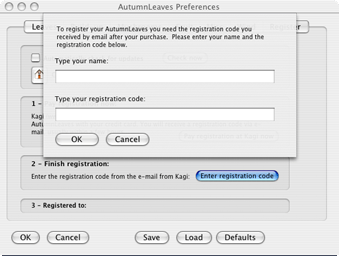
Enter registration code: after purchasing registration at Kagi you will get an email with a registration code. To finish the registration you need to enter that code in the text box that will appear if you click the button "Enter registration code" (see below).
Type your name and your code, click OK and you're done!